Services
Software
Hire Developers
Portfolio Blog About Contact
Get a Free Quote Call us
Software Development

How to delete duplicate data/Entry in database using

1 min read Object Developer team
How to delete duplicate data/Entry in database using

If you are facing a problem with duplicate data, follow the steps below to delete duplicate rows from the database using phpMyAdmin.

  1. Open phpMyAdmin.
  2. Go to your database.
  3. Click on the SQL menu at the top.
  4. Run the query below.
DELETE a FROM products a INNER JOIN products b WHERE a.id < b.id AND a.item_id = b.item_id

Here a.item_id = b.item_id is the column that identifies a duplicate — change it to your own column name. The query keeps the row with the highest id and deletes the rest.
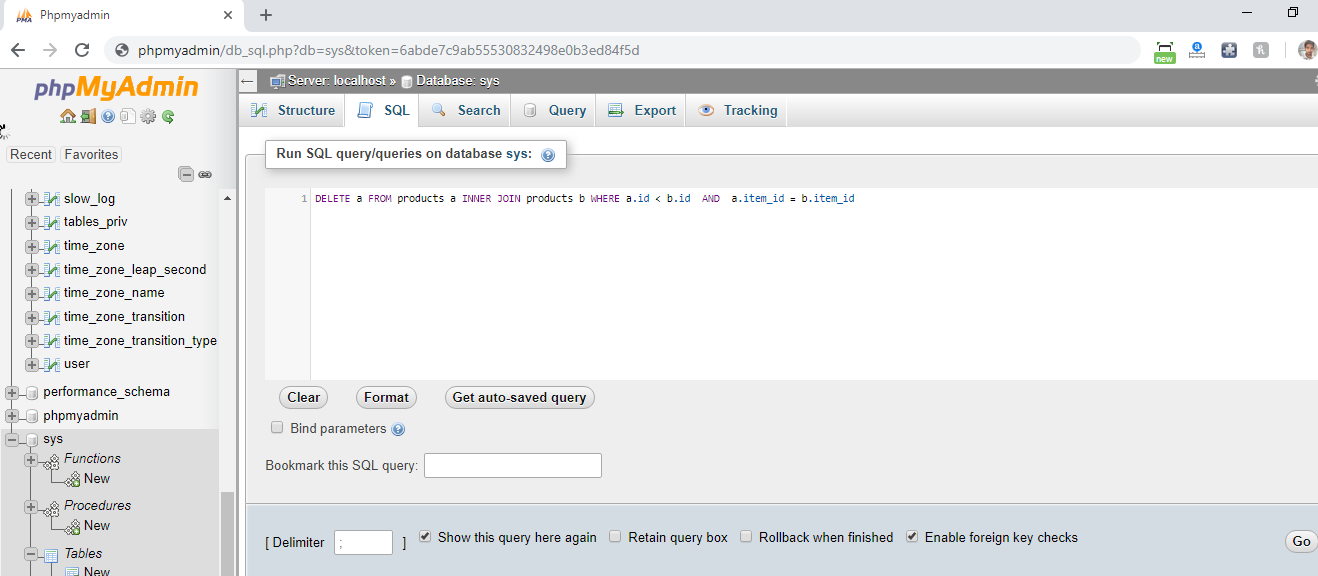
delete Duplicate data from database using phpmyadmin

Let's build it

Have a project in mind?

Tell us what you are trying to build. We will come back within one working day with a clear scope, a timeline and a fixed price — no obligation.

Get a Free Quote Call